

Run your studio from ChatGPT or Claude
Connect Atelier to the AI assistant you already use. Pinboards, FF&E schedules, procurement, products, clients — all of it, right from chat.
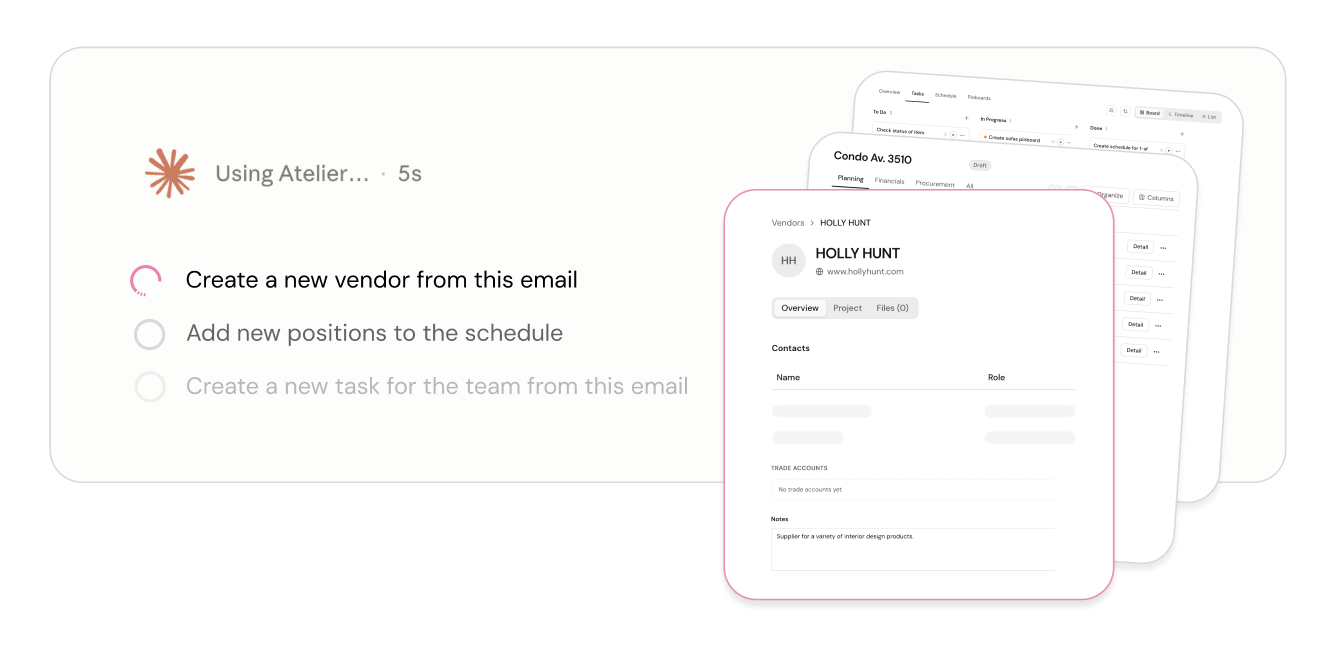
Works where you already chat
Atelier ships a remote MCP server that plugs into ChatGPT, Claude, Claude Code, and any other MCP client with OAuth. Connect once and your studio is a tool your assistant can use.
Boards and schedules from a conversation
"Add these three pendants to the Maple Ave schedule." "Share the living-room pinboard with the client." Browse projects, pinboards, and FF&E schedules — and update them — without opening a tab.
Drop a link, capture a product
Paste a vendor URL in chat and Atelier extracts the image, price, and specs into your studio library — ready to pin to boards or spec into schedules.
Procurement and project ops, too
Update item status, quantities, and spaces; manage clients, vendors, and their contacts; comment on tasks or hand work straight to the Atelier AI assistant.
Your role, your data — nothing more
Access is scoped to your studio and follows your member role: the assistant can only see and change what you can. Every action is attributed to your account, just as if you did it in the app.
Open by design
Built on the Model Context Protocol, the open standard for connecting AI assistants to tools. As new MCP clients appear, Atelier already works with them.
Connect in a minute
One server URL, standard OAuth. Sign in with your Atelier account and you’re done — no API keys to copy around.
https://api.getatelier.design/mcp
Claude
In claude.ai, open Settings › Connectors, add a custom connector with the URL above, and sign in with Atelier. Syncs to the Claude desktop and mobile apps.
ChatGPT
In ChatGPT, open Settings › Connectors, create a connector with the URL above, and authorize with your Atelier account.
Full step-by-step instructions live in the app under Settings › Claude & MCP.
Things designers say to it
No commands to learn. Describe what you need the way you’d tell a studio assistant.
Why a connector beats a chat window
A general assistant in a plain chat has no access to your studio’s data and no way to act inside your tools. It can draft text about your project, but everything it produces has to be re-entered into whatever actually holds the work — and asked for product specs or prices from memory, it will invent them, complete with links that do not resolve.
The connector closes that gap for interior designers and architects alike. The same model, given real tools and real project context, reads your actual records and takes actions against them. The output lands in your project instead of in a message you retype. What stays unchanged is the boundary: it never picks your products and never designs for you.
Related reading
- A purpose-built alternative to ChatGPT — where a general assistant stops being enough
- Can Claude build mood boards and spec lists? — what works, and what needs tools
- The limits of ChatGPT and Claude for design work — hallucinated specs, and why reading the source matters
Frequently asked questions
Can I use Atelier from ChatGPT or Claude?
Yes. Atelier exposes an MCP server at https://api.getatelier.design/mcp. Add it as a custom connector in Claude or ChatGPT, sign in with your Atelier account over standard OAuth, and your assistant can work with pinboards, FF&E schedules, procurement, products and clients directly. There are no API keys to copy around.
What can the AI connector actually do?
It works on your real studio data rather than talking about it — reading and updating projects, schedules and products, extracting a product from a vendor URL into your library, and assembling boards from products you have chosen. It never picks your products and never designs for you; selection and judgment stay with the designer.
How is this different from just asking ChatGPT about my project?
A plain chat has no access to your studio data and no way to act inside your tools, so anything it produces has to be re-entered into whatever actually holds your project — and it will invent product specs, prices and links when asked. Through the connector the assistant reads your real records and takes real actions, so the output lands in your project rather than in a message you have to retype.
Is my studio data safe when I connect an assistant?
The connector uses standard OAuth against your own Atelier account, so it inherits your permissions — an assistant can only reach what you can reach, and access is revoked by disconnecting the connector. There are no long-lived API keys to leak, and the same roles and permissions that govern your team in Atelier govern the connector.
Does it work on mobile?
Yes, once connected in Claude the connector syncs to the Claude desktop and mobile apps, so you can check a schedule or add a product from your phone between site visits. Setup happens once on the web.
Spend your time designing, not data-entering
Atelier speeds up your boards, forecasts your budgets, and takes the busywork off your plate — so you can focus on the work only you can do.
No credit card required.